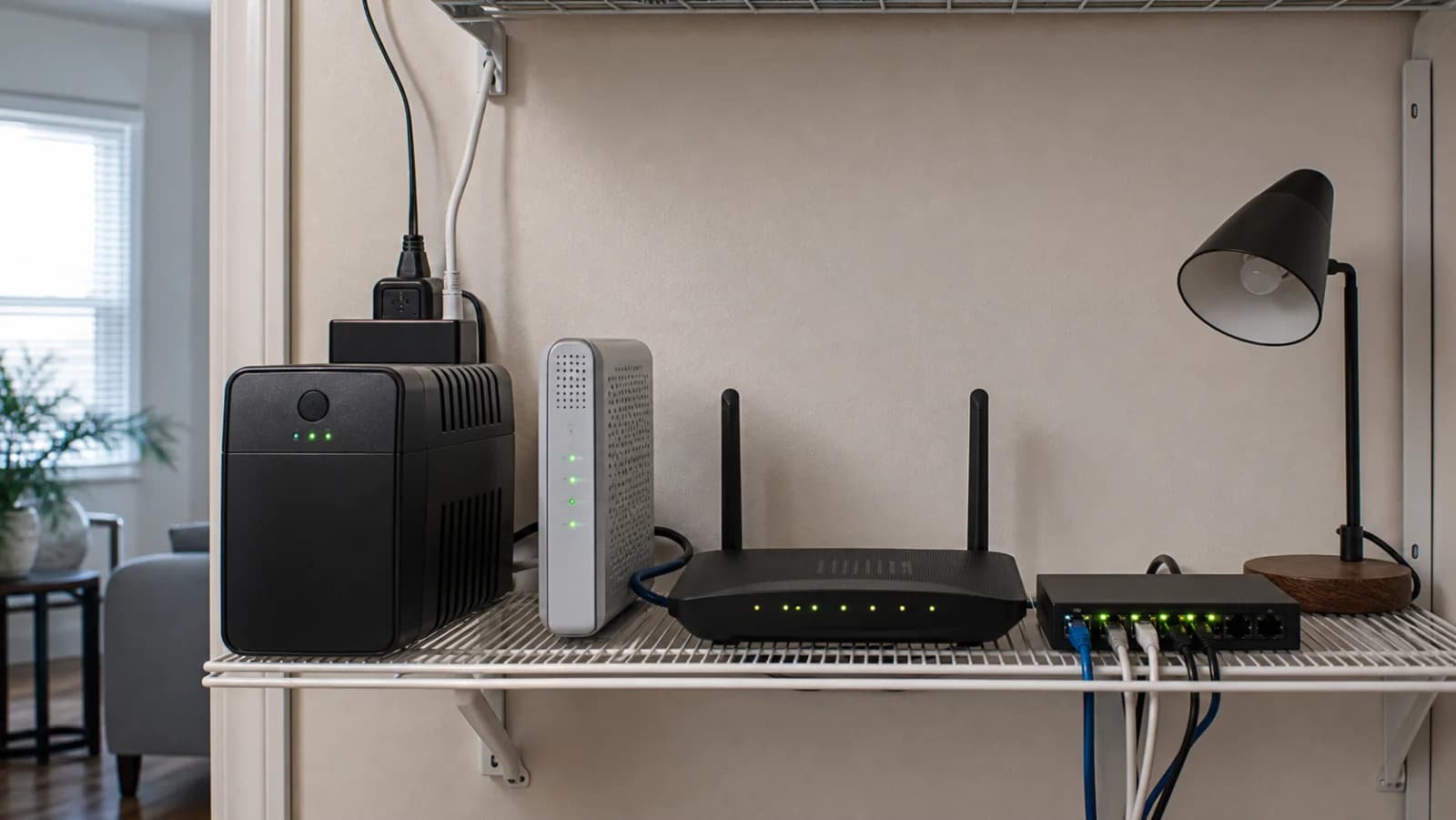
1. Draw the minimum internet chain
Start at the provider handoff. The ONT or cable modem, router, one essential switch, and any mesh node needed for the occupied area must stay powered. Leave lamps, displays, printers, speakers, chargers, and nonessential nodes off the battery.
2. Measure watts instead of reading adapter maxima
A power adapter's printed maximum is not the device's steady draw. Measure the complete chain during normal use and during a busy period when practical. Keep the measurement setup electrically safe and do not exceed the meter or outlet rating.
3. Use runtime data at a comparable load
A UPS rated for 330W or 450W is not promising that many watts for a useful duration. Keep every published runtime attached to its stated load. Low-load behavior is nonlinear, so use the manufacturer's curve or calculator near the measured watts rather than extrapolating from half load.
4. Add margin for battery aging
Batteries lose usable capacity with age, heat, repeated discharge, and storage conditions. A setup that barely meets the target when new is likely to disappoint later. Label the battery date, keep the UPS ventilated, and schedule self-tests.
5. Map power bricks to protected outlets
Battery-backed and surge-only outlets are different. Sketch the physical adapters, including sideways bricks, and make sure every required device reaches a battery-backed socket without an unsafe chain of strips or extensions.
6. Test the upstream limit
After setup, run a short controlled test while someone is present. Verify that the ONT or modem, router, switch, Wi-Fi, DNS, and real internet access remain available. Local Wi-Fi lights alone do not prove the ISP path is alive.
7. Recheck after network changes
A new mesh node, switch, NAS, or modem changes the load and outlet plan. Repeat the measurement and controlled test instead of assuming the original runtime still applies.