Signalwise Picks
Browse
Wi-Fi

Best Mesh Wi-Fi for 2.5Gbps Internet: 4 Practical Picks

Compare four Wi-Fi 7 mesh systems by 2.5GbE ports, 6GHz, 10GbE paths, wired backhaul, node count, client mix, and real upgrade value.

A 2.5Gbps internet plan does not automatically require a flagship mesh. The best choice depends on whether the connection terminates at the main node, whether satellites use Ethernet, how many wired devices need multi-gig ports, and whether the home has 6GHz clients or fast local storage.

Quick answer

Start with TP-Link Deco BE25 Wi-Fi 7 Mesh (2-Pack) if your main need is affordable dual-band wi-fi 7 mesh with wired backhaul. Compare the trade-offs before buying, especially no 6ghz band.

Best starting pick

TP-Link Deco BE25 Wi-Fi 7 Mesh (2-Pack)

Best for: Affordable dual-band Wi-Fi 7 mesh with wired backhaul

Skip if: No 6GHz band

Price band: $$

How links work: As an Amazon Associate I earn from qualifying purchases. Signalwise Picks may also earn commissions from other retailer links. Recommendations are based on home layout, wired backhaul options, speed needs, device count, and setup trade-offs.

Prices, availability, shipping, coupons, and seller details can change. Always confirm the current product listing and return policy before buying.

Quick comparison

Start here if you already know the job you need the product to solve.

1

TP-Link

TP-Link Deco BE25 Wi-Fi 7 Mesh (2-Pack)

Best for

Affordable dual-band Wi-Fi 7 mesh with wired backhaul

Check first

No 6GHz band

Facts

ASIN B0DKVDMPT9 · wifi

2

TP-Link

TP-Link Deco BE63 BE10000 Wireless Tri-Band 2.5G 3-Piece Whole Home Mesh System

Best for

Wi-Fi 7 mesh with 2.5G wired backhaul

Check first

Overkill for small homes with modest internet plans

Facts

$$$ · wifi

3

TP-Link

TP-Link Deco BE67 Wi-Fi 7 Mesh (2-Pack)

Best for

Premium Wi-Fi 7 mesh with a real 10GbE use case

Check first

Costs more than BE63

Facts

ASIN B0FQYQRZQX · wifi

4

TP-Link

TP-Link Deco BE85 Wi-Fi 7 Mesh (2-Pack)

Best for

Premium 10GbE mesh and demanding local networks

Check first

Very expensive

Facts

ASIN B0C4W1L4B3 · wifi

Evidence basis and listing risk

We use manufacturer specs where available, then treat Amazon as a listing-verification step for ASIN, bundle, seller, coupon, and return-window risk.

PickOfficial specsAmazon/listing anchorVersion or price riskUpdated
TP-Link Deco BE25 Wi-Fi 7 Mesh (2-Pack)1 sourceASIN B0DKVDMPT9Confirm ASIN B0DKVDMPT9 and two-pack quantity.July 11, 2026
TP-Link Deco BE63 BE10000 Wireless Tri-Band 2.5G 3-Piece Whole Home Mesh System2 sourcesConfirm live listingCheck live price and availability on Amazon.July 12, 2026
TP-Link Deco BE67 Wi-Fi 7 Mesh (2-Pack)1 sourceASIN B0FQYQRZQXConfirm ASIN B0FQYQRZQX, model BE67, and two-pack quantity.July 12, 2026
TP-Link Deco BE85 Wi-Fi 7 Mesh (2-Pack)1 sourceASIN B0C4W1L4B3Confirm ASIN B0C4W1L4B3, two-pack quantity, and hardware version.July 1, 2026

Quick picks by situation

Lowest sensible cost

BE25 fits when Ethernet backhaul and dual-band client coverage are enough.

Several 2.5GbE devices

BE63's four equal 2.5GbE ports can simplify a wired office, switch, TV, and satellite layout.

One 10GbE workload

BE67 adds a useful 10GbE path for a defined WAN, NAS, workstation, or switch connection.

Flagship local traffic

BE85 is easier to justify when 10GbE, high client density, premium backhaul, and fast storage are already planned.

Start with the WAN and backhaul map

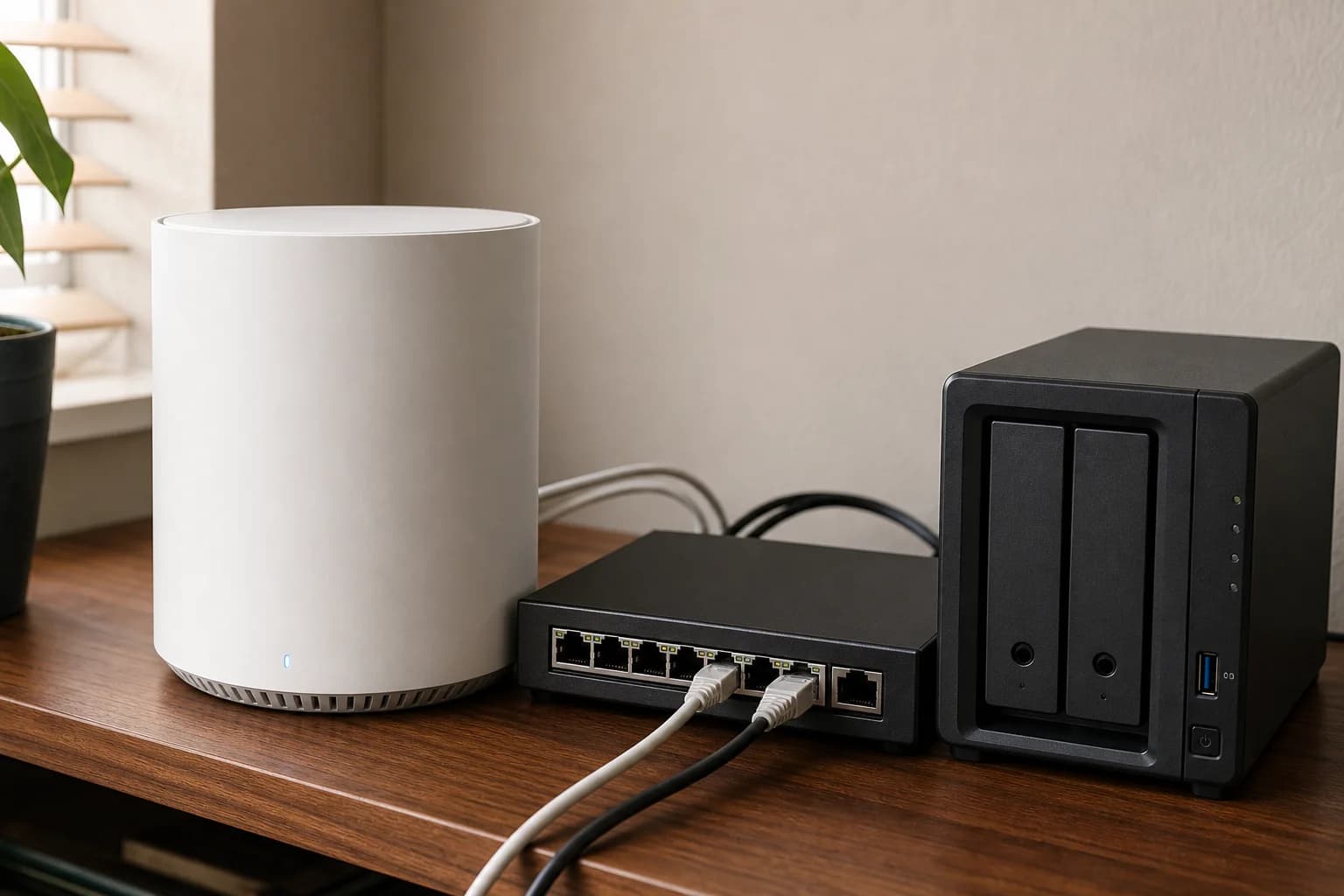
Write down the modem or ONT port, main-node WAN, satellite path, switch, NAS, desktop, and wall-jack speeds. A system can advertise a faster class while leaving the actual workstation or satellite path at one gigabit.

Pick a port layout before a Wi-Fi class

BE25 is a value dual-band option, BE63 offers four 2.5GbE ports per unit, BE67 adds a 10GbE path, and BE85 targets a more demanding premium network. The right port count can matter more than the largest aggregate wireless number.

2.5Gbps internet is not 2.5Gbps per client

A service plan is shared across clients and is limited by the modem, router, radio, channel conditions, and server. Treat the plan as a capacity target, then decide which local device deserves the fastest wired path.

How to choose without overbuying

When to spend more

Spend more when a larger layout, wired backhaul, multi-gig internet, or many devices are already stressing the network.

When to spend less

Spend less when one well-placed router, an Ethernet run, or a cheaper Wi-Fi 6 mesh kit solves the real coverage gap.

Compare these details first

Home size and wall layout
WAN/LAN port speeds
Wired backhaul options
Subscription and security features

Related setup and buying guides

TP-Link Deco BE25 Wi-Fi 7 Mesh (2-Pack)

TP-Link

TP-Link Deco BE25 Wi-Fi 7 Mesh (2-Pack)

A value-focused guide to the dual-band Deco BE25 two-pack, its two 2.5GbE ports, wired backhaul, lack of a 6GHz band, and the homes where it makes more sense than BE63.

Best for: Affordable dual-band Wi-Fi 7 mesh with wired backhaul

TP-Link Deco BE63 BE10000 Wireless Tri-Band 2.5G 3-Piece Whole Home Mesh System

TP-Link

TP-Link Deco BE63 BE10000 Wireless Tri-Band 2.5G 3-Piece Whole Home Mesh System

A research-based TP-Link Deco BE63 review covering BE10000 specs, the 3-piece wireless tri-band Wi-Fi 7 mesh listing, 2.5G ports, Deco 7 Pro BE63 naming, wired backhaul, and BE67 or BE85 alternatives.

Best for: Wi-Fi 7 mesh with 2.5G wired backhaul

TP-Link Deco BE67 Wi-Fi 7 Mesh (2-Pack)

TP-Link

TP-Link Deco BE67 Wi-Fi 7 Mesh (2-Pack)

A research-based guide to the Deco BE67 two-pack, covering BE14000 tri-band Wi-Fi 7, 10GbE, 2.5GbE, 6GHz, wired backhaul, device compatibility, and when it is worth paying more than BE63.

Best for: Premium Wi-Fi 7 mesh with a real 10GbE use case

TP-Link Deco BE85 Wi-Fi 7 Mesh (2-Pack)

TP-Link

TP-Link Deco BE85 Wi-Fi 7 Mesh (2-Pack)

A premium-mesh guide to the BE85 two-pack, including its tri-band Wi-Fi 7 radios, two 10GbE paths, two 2.5GbE ports, SFP+ option, and substantial price premium over BE67.

Best for: Premium 10GbE mesh and demanding local networks

FAQ

Do I need Wi-Fi 7 for 2.5Gbps internet?

No. Wi-Fi 7 can help with supported clients, 6GHz, channel width, and capacity, but wired backhaul and suitable client hardware may matter more.

Is BE63 enough for a 2.5Gbps plan?

It can be a strong fit when four 2.5GbE ports, tri-band radios, and Ethernet backhaul match the home. Check the exact modem and client path.

When is BE85 excessive?

It is excessive when the home has one-gigabit service, ordinary Wi-Fi clients, no 10GbE local traffic, and no defined plan to use the premium ports.