NETGEAR
Wired networkingNETGEAR GS308EPP: 8-Port PoE+ Switch Buying Guide
Official-spec guide · not hands-on
Use the decision points below to compare fit, compatibility, ownership trade-offs, and the exact current listing.
Current buying option
NETGEAR GS308EPP 8 Port PoE Gigabit Ethernet Easy Smart Managed Essentials Switch
Current price & availability · purchase link
Open the named listing to compare the live price, availability, delivery, seller, and return terms.
A higher-budget 8-port PoE+ switch guide for buyers who want every port powered, a 123W budget, and small-business style management in a desktop or wall-mount box.
Decide before the product image
- Best for
- Eight-port camera or access-point installs needing more PoE headroom
- Verify on Amazon US
- Confirm ASIN B08MBF6JMQ, GS308EPP model, 123W budget, seller, and delivery availability.
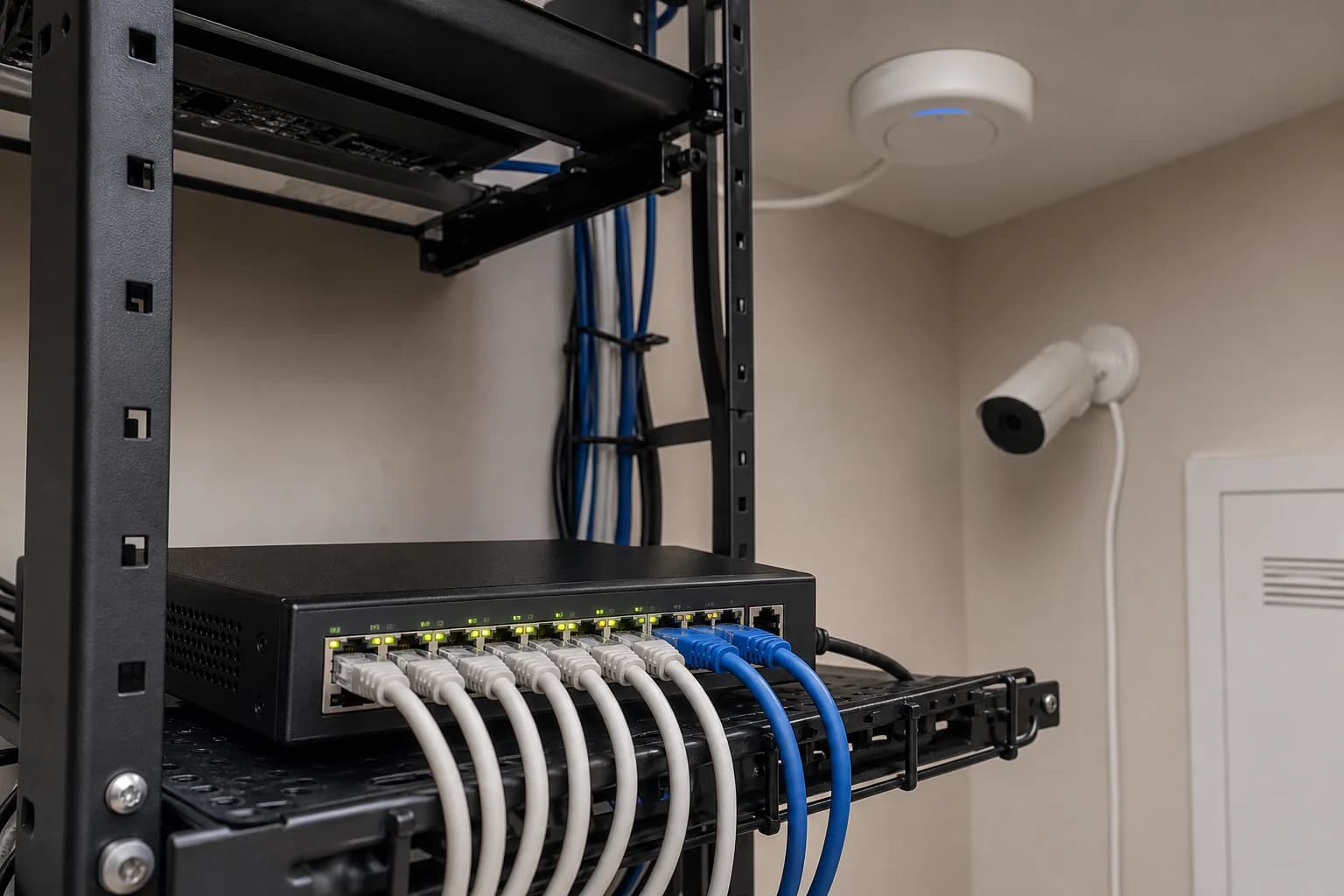
Editorial image for visual context; the linked listing may have a different product appearance or configuration.
Official-spec guide · not hands-on
Use the decision points below to compare fit, compatibility, ownership trade-offs, and the exact current listing.
Quick verdict
Best fit
Eight-port camera or access-point installs needing more PoE headroom
Main upside
Eight PoE+ ports listed
Check first
Costs more than four-port PoE switches
What matters most
- Updated
- July 9, 2026
- Decision scope
- Fit, compatibility, ownership, and current-listing checks
- Version risk
- Amazon title verified as NETGEAR GS308EPP with 8 PoE+ ports and 123W budget
- Price or bundle risk
- Confirm ASIN B08MBF6JMQ, GS308EPP model, 123W budget, seller, and delivery availability.
Current product and listing
- Current listing
- Amazon ASIN B08MBF6JMQ
- Product name
- NETGEAR GS308EPP 8 Port PoE Gigabit Ethernet Easy Smart Managed Essentials Switch
- Model or bundle
- NETGEAR GS308EPP 8 Port PoE Gigabit Ethernet Easy Smart Managed Essentials Switch
- Confirm before buying
- Amazon title verified as NETGEAR GS308EPP with 8 PoE+ ports and 123W budget
- Live buying conditions
- Confirm ASIN B08MBF6JMQ, GS308EPP model, 123W budget, seller, and delivery availability.
What can change before checkout
- Page updated
- July 9, 2026
- Exact product
- Amazon ASIN B08MBF6JMQ
- Price and availability
- Check the merchant page for the current price, coupon, stock, and delivery
- Seller and returns
- Confirm the selected seller, included bundle, warranty path, and return terms before ordering
Product facts
- Exact product
- NETGEAR GS308EPP 8 Port PoE Gigabit Ethernet Easy Smart Managed Essentials Switch
- Brand
- NETGEAR
- Best use case
- Eight-port camera or access-point installs needing more PoE headroom
- Category
- wired
- ASIN
- B08MBF6JMQ
- Price band
- $$$
Compatibility checks
- Amazon title verified as NETGEAR GS308EPP with 8 PoE+ ports and 123W budget
- Listing references VLAN, QoS, monitoring, and security controls
- Use it when all eight ports may eventually power cameras or access points
- Check location-specific availability before relying on this exact ASIN
Key specifications
| Spec | Value to verify |
|---|---|
| ASIN | B08MBF6JMQ |
| Ports | 8x gigabit RJ45 |
| PoE ports | 8x PoE+ ports listed |
| PoE budget | 123W total listed |
| Management | Easy Smart Managed Essentials listed |
| Mounting | Desktop or wall mount listed |
Fit decision guide
Best when
Your priority is eight-port camera or access-point installs needing more poe headroom and the exact listing matches the specs below.
Main trade-off
Costs more than four-port PoE switches
Also compare
Choose TL-SG108PE for lower-cost Easy Smart management with four PoE ports.
Confirm before checkout
Amazon title verified as NETGEAR GS308EPP with 8 PoE+ ports and 123W budget
Bottom line
GS308EPP is the stronger eight-device PoE choice when the buyer wants PoE+ on every port and enough budget for multiple cameras or APs.
Why it matters
A cheap four-port PoE switch can become a dead end after the fifth camera or second access point. All-port PoE reduces that growth trap.
All eight ports being PoE changes planning
Instead of choosing which four devices get power, the buyer can plan a fuller camera or AP shelf and watch the total wattage budget.
It is still gigabit-only
This is not a multi-gig AP switch. If Wi-Fi 7 access points need 2.5GbE uplinks, shop a 2.5GbE PoE model instead.
Who should skip it
Skip it for one or two low-power devices, for 2.5GbE AP uplinks, or when a cheaper unmanaged four-port switch fully covers the plan.
Where it wins
- Eight PoE+ ports listed
- 123W total PoE budget listed
- Easy Smart managed essentials features for VLAN/QoS/monitoring
Trade-offs
- Costs more than four-port PoE switches
- Gigabit-only ports
- Buyers should confirm shipping availability and seller because Amazon availability can vary by location
What to verify
- Amazon title verified as NETGEAR GS308EPP with 8 PoE+ ports and 123W budget
- Listing references VLAN, QoS, monitoring, and security controls
- Use it when all eight ports may eventually power cameras or access points
- Check location-specific availability before relying on this exact ASIN
Who should buy it
Consider NETGEAR GS308EPP 8 Port PoE Gigabit Ethernet Easy Smart Managed Essentials Switch if your priority is eight-port camera or access-point installs needing more poe headroom and you want a product that fits your home-network setup without adding unnecessary complexity.
Also compare
- Choose TL-SG108PE for lower-cost Easy Smart management with four PoE ports.
- Choose TL-SG1005P for a small unmanaged install.
- Choose Reolink RLA-PS1 when the switch is mainly for a Reolink camera/NVR setup.
Compare nearby options
| Product | Best for | Check first | Price band | Exact listing |
|---|---|---|---|---|
| NETGEAR GS308EPP 8 Port PoE Gigabit Ethernet Easy Smart Managed Essentials Switch | Eight-port camera or access-point installs needing more PoE headroom | Costs more than four-port PoE switches | $$$ | ASIN B08MBF6JMQ |
| TP-Link TL-SG108PE V3, 8 Port Gigabit PoE Switch, Easy Smart Managed, 4 PoE+ Ports @64W | Small PoE installs needing VLANs or basic switch management | Only four of eight ports provide PoE | $$ | ASIN B01BW0AD1W |
| TP-Link TL-SG1005P, 5 Port Gigabit PoE Switch, 4 PoE+ Ports @65W | Small camera or access-point installs needing four PoE+ ports | Only four powered ports | $ | ASIN B076HZFY3F |
| REOLINK PoE Switch with 8 PoE and 2 Gigabit Uplink Ports, RLA-PS1 | Reolink PoE camera systems and NVR-centered installs | PoE camera ports are listed as 10/100Mbps, while uplinks are gigabit | $$ | ASIN B0BWHKQ5N9 |
TP-Link
TP-Link TL-SG108PE 8-Port Easy Smart PoE Switch
Small PoE installs needing VLANs or basic switch management
TP-Link
TP-Link TL-SG1005P 5-Port Gigabit PoE Switch
Small camera or access-point installs needing four PoE+ ports
Reolink
Reolink RLA-PS1 PoE Switch
Reolink PoE camera systems and NVR-centered installs
Related setup guides
wired
PoE Switch Power Budget Calculator Guide
Before buying a PoE switch, add camera and access-point watts, check per-port limits, leave startup headroom, and decide which ports get priority.
wired
PoE vs PoE+ for Cameras and Access Points
Understand 802.3af, 802.3at, per-port wattage, total switch budget, and when Wi-Fi access points need more than basic PoE.
wired
Managed vs Unmanaged PoE Switch for Home Cameras
Use unmanaged PoE for simple power; choose Easy Smart or managed PoE when VLANs, camera isolation, monitoring, and port controls matter.
Comparisons featuring this product
Comparison
PoE Switches for Home Cameras and Access Points
Compare TP-Link, NETGEAR, and Reolink PoE switches by powered-port count, total wattage, management, uplink speed, and camera/AP fit.
Comparison
TP-Link TL-SG1005P vs TL-SG108PE vs NETGEAR GS308EPP
Compare three PoE switch paths: cheap unmanaged four-port PoE, Easy Smart four-port PoE, and all-port PoE+ with a larger power budget.
Version and price risk
Treat the exact listing as part of the product. Confirm the model number, hardware revision, included accessories, seller, coupon state, and return path before checkout. Current link note: Confirm ASIN B08MBF6JMQ, GS308EPP model, 123W budget, seller, and delivery availability.
Before you buy
- Confirm the exact hardware version, pack quantity, port speeds, regional model, and current firmware support.
- Check the retailer listing, seller, return window, and whether subscriptions change any advertised feature.
- Map placement, Ethernet backhaul, client support, and the actual internet bottleneck before upgrading.
- Check for recurring quality-control patterns after confirming the exact model.
Sources and methodology
We have not tested this product ourselves. This guide uses current manufacturer documentation and listing checks to identify fit, compatibility, version, and purchase risks.
References checked
- Amazon listing for ASIN B08MBF6JMQ — Exact linked listing; confirm GS308EPP, 8 PoE+ ports, 123W budget, seller, and delivery availability.