Signalwise Picks
Browse
Wi-Fi

Deco BE25 vs BE63: 6GHz, Ports and Best Value

Current retailer option

TP-Link Deco BE25 Wi-Fi 7 Mesh (2-Pack)

Best for affordable dual-band wi-fi 7 mesh with wired backhaul. Open the listing to compare the live price, availability, delivery, seller, and returns.

Check current price & availability on Amazon

Current price & availability · purchase link

Review details

Compare Deco BE25 vs BE63 by 6GHz, 2.5GbE ports, wired or wireless backhaul, equal pack pricing, and the upgrade a real home will notice.

Updated August 20, 2026

BE25 is the lower-cost dual-band choice, while BE63 adds a 6GHz radio and four 2.5GbE ports per node. The useful question is not which number is larger; it is whether the home relies on wireless backhaul, needs more wired ports, or would gain more from spending the difference on Ethernet and placement.

Quick answer

Start with TP-Link Deco BE25 Wi-Fi 7 Mesh (2-Pack) if your main need is affordable dual-band wi-fi 7 mesh with wired backhaul. Compare the trade-offs before buying, especially no 6ghz band.

Direct answer to the buying question

Deco BE25 vs BE63: is 6GHz or four 2.5GbE ports worth the upgrade?

Choose BE63 when 6GHz improves a viable wireless-backhaul path, current 6GHz clients need that band, or four 2.5GbE ports per node avoid another switch. Choose BE25 when Ethernet carries backhaul, two ports per node are enough, and lower cost matters more than a third wireless band.

Page structure updated August 13, 2026Evidence checked August 20, 2026Reconfirm exact model and current terms

Related search answers

How links work: As an Amazon Associate I earn from qualifying purchases, at no extra cost to you.

Prices, availability, shipping, coupons, and seller details can change. Always confirm the current product listing and return policy before buying.

Quick comparison

Start here if you already know the job you need the product to solve.

1

TP-Link

TP-Link Deco BE25 Wi-Fi 7 Mesh (2-Pack)

Best for

Affordable dual-band Wi-Fi 7 mesh with wired backhaul

Check first

No 6GHz band

Facts

ASIN B0DKVDMPT9 · wifi

2

TP-Link

TP-Link Deco BE63 BE10000 Wireless Tri-Band 2.5G 3-Piece Whole Home Mesh System

Best for

Wi-Fi 7 mesh with 2.5G wired backhaul

Check first

Overkill for small homes with modest internet plans

Facts

ASIN B0CN8QLS4K · wifi

Compare the current options

Match the exact model, bundle, seller, coupon, and return window before choosing between the picks.

PickKey fit detailsExact listingWhat can changeUpdated
TP-Link Deco BE25 Wi-Fi 7 Mesh (2-Pack)Pack: 2-pack · Wireless: Dual-band BE5000 Wi-Fi 7ASIN B0DKVDMPT9Confirm ASIN B0DKVDMPT9 and two-pack quantity.August 20, 2026
TP-Link Deco BE63 BE10000 Wireless Tri-Band 2.5G 3-Piece Whole Home Mesh SystemProduct type: Tri-band Wi-Fi 7 mesh system · Common listing title: TP-Link Deco BE63 BE10000 Wireless Tri-Band 2.5G 3-Piece Whole Home Mesh SystemASIN B0CN8QLS4KCheck live price and availability on Amazon.July 17, 2026

Quick picks by situation

Lowest sensible price

Choose BE25 when dual-band mesh, two 2.5GbE ports, and the planned node count are enough.

Wireless backhaul

Choose BE63 when 6GHz gives the node layout a cleaner high-capacity path.

More wired devices

BE63's four 2.5GbE ports per node reduce the immediate need for a switch.

Existing Ethernet

BE25 becomes more compelling when wired backhaul removes the need for a dedicated 6GHz relay path.

Mostly Wi-Fi 6 clients

Buy for coverage and port layout; neither Wi-Fi 7 label upgrades an older client radio.

How to choose without overbuying

When to spend more

Spend more when a larger layout, wired backhaul, multi-gig internet, or many devices are already stressing the network.

When to spend less

Spend less when one well-placed router, an Ethernet run, or a cheaper Wi-Fi 6 mesh kit solves the real coverage gap.

Compare these details first

Home size and wall layout
WAN/LAN port speeds
Wired backhaul options
Subscription and security features

Related setup and buying guides

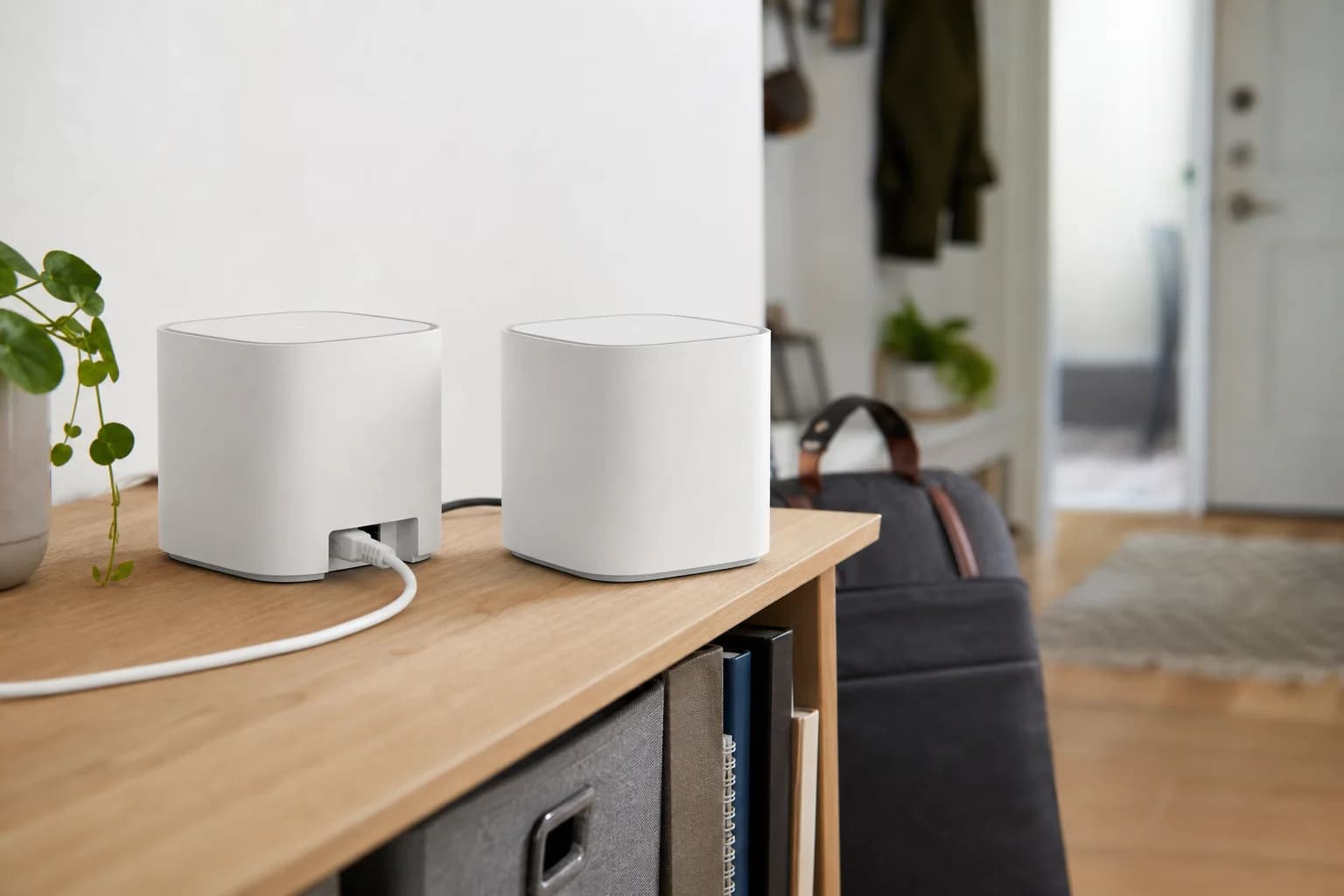
TP-Link Deco BE25 Wi-Fi 7 Mesh (2-Pack)

TP-Link

TP-Link Deco BE25 Wi-Fi 7 Mesh (2-Pack)

A Deco BE25 two-pack review for 1Gbps and multi-gig homes: compare its two 2.5GbE ports, wired-backhaul fit, missing 6GHz band, and when the BE63 upgrade solves a real problem.

Best for: Affordable dual-band Wi-Fi 7 mesh with wired backhaul

Main caution: No 6GHz band

TP-Link Deco BE63 BE10000 Wireless Tri-Band 2.5G 3-Piece Whole Home Mesh System

TP-Link

TP-Link Deco BE63 BE10000 Wireless Tri-Band 2.5G 3-Piece Whole Home Mesh System

A source-attributed Deco BE63 research guide comparing independent speed, range, wired-throughput, and satellite-latency findings with official US specifications, hardware-version risks, pack size, and BE67 or BE85 alternatives.

Best for: Wi-Fi 7 mesh with 2.5G wired backhaul

Main caution: Overkill for small homes with modest internet plans
FAQ

Does BE25 have 6GHz?

No. It is a dual-band Wi-Fi 7 system; BE63 adds a 6GHz band.

Can BE25 use Ethernet backhaul?

Yes. The negotiated speed of the switch, cable, and ports still controls the wired path.

Is BE63 always faster?

No. Placement, clients, WAN speed, interference, firmware, node count, and backhaul still control results.

Which is better for a gigabit plan?

BE25 can be the better value when coverage and Ethernet are already planned. BE63 earns the premium when 6GHz backhaul or its extra 2.5GbE ports solve a specific problem.

Sources and methodology

  • Compare the same node count and region
  • Map every WAN, LAN, and backhaul port
  • Separate client speed from aggregate class
  • Price any required switch and cabling
  • Check hardware version and current firmware before checkout
Deco BE25 vs BE63: 6GHz, Ports & Best Value