Signalwise Picks
Browse
Wi-Fi

TP-Link Deco BE25 vs BE67: Budget Wi-Fi 7 or 10GbE Mesh?

Current retailer option

TP-Link Deco BE25 Wi-Fi 7 Mesh (2-Pack)

Best for affordable dual-band wi-fi 7 mesh with wired backhaul. Open the listing to compare the live price, availability, delivery, seller, and returns.

Check current price & availability on Amazon

Current price & availability · purchase link

Review details

Compare Deco BE25 vs BE67 by 6GHz, 10GbE, 2.5GbE ports, wireless backhaul, pack cost, and the internet or NAS workload that justifies the upgrade.

Updated July 23, 2026

BE25 and BE67 share the Wi-Fi 7 label but solve different network problems. BE25 is a dual-band value system that makes the most sense with Ethernet backhaul, while BE67 adds 6GHz, more wireless capacity, and a 10GbE path for a home that can actually use them.

Quick answer

Start with TP-Link Deco BE25 Wi-Fi 7 Mesh (2-Pack) if your main need is affordable dual-band wi-fi 7 mesh with wired backhaul. Compare the trade-offs before buying, especially no 6ghz band.

Direct answer to the buying question

Deco BE25 or BE67 for a Wi-Fi 7 mesh?

BE25 is the budget choice when gigabit-class internet and modest wired needs dominate. BE67 is justified by 10GbE and stronger multi-gig ambitions; confirm pack size, backhaul, client capability, and switch path before paying for unused headroom.

Page structure updated August 13, 2026Evidence checked July 23, 2026Reconfirm exact model and current terms

Related search answers

How links work: As an Amazon Associate I earn from qualifying purchases, at no extra cost to you.

Prices, availability, shipping, coupons, and seller details can change. Always confirm the current product listing and return policy before buying.

Quick comparison

Start here if you already know the job you need the product to solve.

1

TP-Link

TP-Link Deco BE25 Wi-Fi 7 Mesh (2-Pack)

Best for

Affordable dual-band Wi-Fi 7 mesh with wired backhaul

Check first

No 6GHz band

Facts

ASIN B0DKVDMPT9 · wifi

2

TP-Link

TP-Link Deco BE67 Wi-Fi 7 Mesh (2-Pack)

Best for

Premium Wi-Fi 7 mesh with a real 10GbE use case

Check first

Costs more than BE63

Facts

ASIN B0FQYQRZQX · wifi

Compare the current options

Match the exact model, bundle, seller, coupon, and return window before choosing between the picks.

PickKey fit detailsExact listingWhat can changeUpdated
TP-Link Deco BE25 Wi-Fi 7 Mesh (2-Pack)Pack: 2-pack · Wireless: Dual-band BE5000 Wi-Fi 7ASIN B0DKVDMPT9Confirm ASIN B0DKVDMPT9 and two-pack quantity.August 20, 2026
TP-Link Deco BE67 Wi-Fi 7 Mesh (2-Pack)Pack: 2-pack · Wireless: BE14000 tri-band Wi-Fi 7ASIN B0FQYQRZQXConfirm ASIN B0FQYQRZQX, model BE67, and two-pack quantity.July 19, 2026

Quick picks by situation

Typical gigabit plan

BE25 usually leaves more budget for placement, wiring, or a better switch.

2.5Gbps plan with several wired devices

Compare BE25 port limits with BE67's mixed port layout before buying either pack.

10GbE NAS or WAN

BE67 has the clearer upgrade path, but the modem, switch, cable, and client must match.

Mostly Wi-Fi 6 devices

Do not pay for BE67 until 6GHz support, backhaul, or client density solves a measured problem.

BE25 is the wiring-first value choice

Choose BE25 when a 2.5GbE WAN or wired backhaul is enough, the home has limited 6GHz clients, and the budget is better spent on Ethernet runs or a small multi-gig switch. Its dual-band design is not a flaw when the topology is deliberate.

BE67 earns its premium through a defined path

BE67 is easier to justify when one 10GbE connection serves a multi-gig WAN, NAS, workstation, or switch, or when wireless backhaul and many simultaneous clients are the actual bottleneck. A larger wireless number alone is not a reason to upgrade.

Count ports after WAN and backhaul

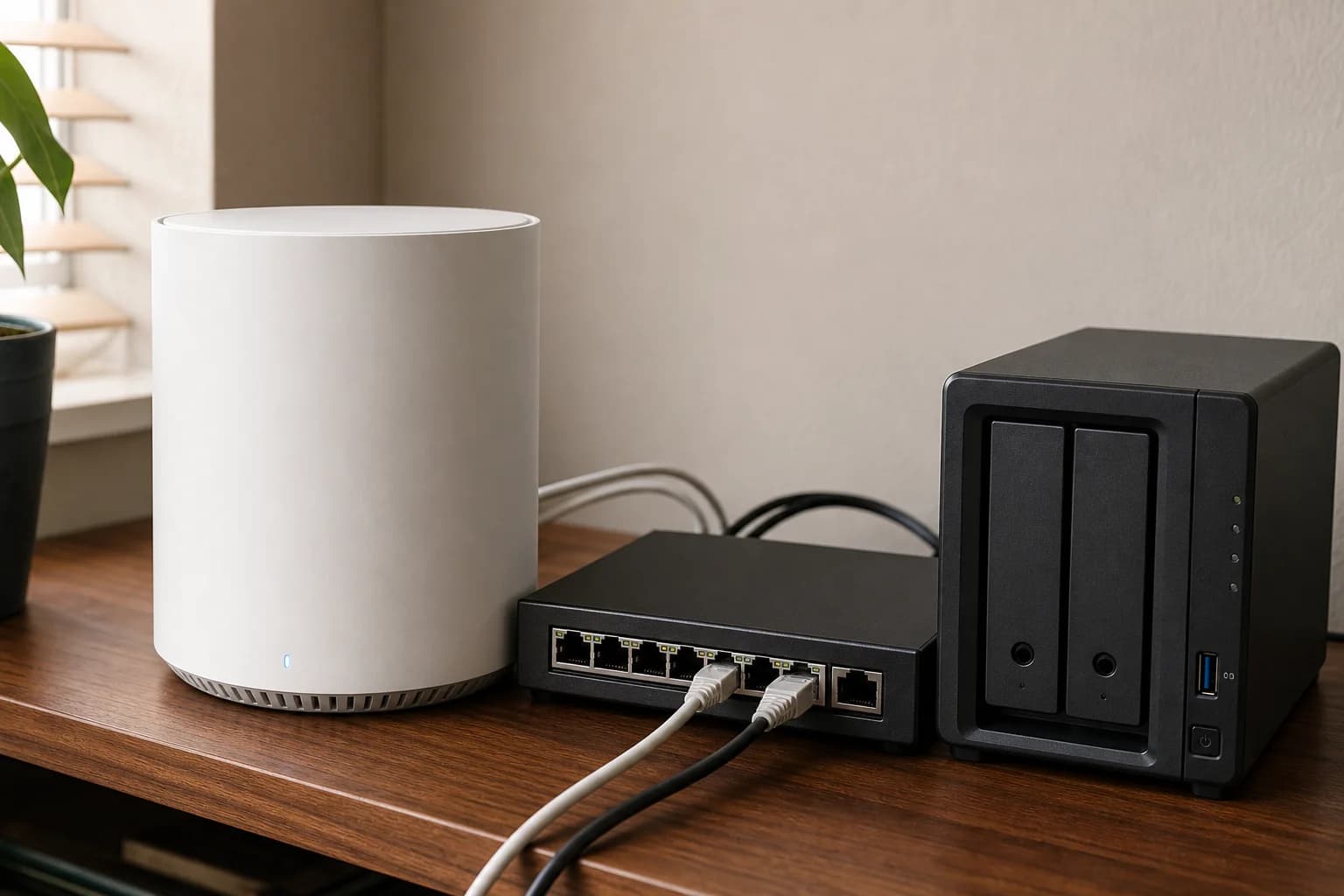
BE25 has two 2.5GbE ports per unit, while BE67 uses a mixed 10GbE, 2.5GbE, and 1GbE layout. Draw the modem, switch, satellite, desktop, TV, and NAS connections before comparing the headline speed.
How to choose without overbuying

When to spend more

Spend more when a larger layout, wired backhaul, multi-gig internet, or many devices are already stressing the network.

When to spend less

Spend less when one well-placed router, an Ethernet run, or a cheaper Wi-Fi 6 mesh kit solves the real coverage gap.

Compare these details first

Home size and wall layout
WAN/LAN port speeds
Wired backhaul options
Subscription and security features
TP-Link Deco BE25 Wi-Fi 7 Mesh (2-Pack)

TP-Link

TP-Link Deco BE25 Wi-Fi 7 Mesh (2-Pack)

A Deco BE25 two-pack review for 1Gbps and multi-gig homes: compare its two 2.5GbE ports, wired-backhaul fit, missing 6GHz band, and when the BE63 upgrade solves a real problem.

Best for: Affordable dual-band Wi-Fi 7 mesh with wired backhaul

Main caution: No 6GHz band

TP-Link Deco BE67 Wi-Fi 7 Mesh (2-Pack)

TP-Link

TP-Link Deco BE67 Wi-Fi 7 Mesh (2-Pack)

A source-checked Deco BE67 review covering the BE14000 two-pack, 10GbE and 2.5GbE ports, 6GHz backhaul, current firmware, and the network that can actually use it.

Best for: Premium Wi-Fi 7 mesh with a real 10GbE use case

Main caution: Costs more than BE63
FAQ

Is Deco BE67 faster than BE25 for every home?

No. BE67 has more radio and port capacity, but placement, backhaul, client support, and the WAN plan control the result in a real home.

Does BE25 support wired backhaul?

Yes. Ethernet backhaul is one of the clearest ways to make the dual-band BE25 design work well in a multi-room home.

Should I buy BE67 for a one-gigabit plan?

Only when a defined local-transfer, wireless-capacity, coverage, or future multi-gig requirement justifies the premium. Otherwise improve placement or wiring first.

Sources and methodology

  • Compare the same node count and regional hardware
  • Map WAN, backhaul, switch, NAS, and fixed clients
  • Separate radio link rates from application throughput
  • Price wiring and adapters as part of the upgrade
TP-Link Deco BE25 vs BE67: Budget Wi-Fi 7 or 10GbE Mesh?