Open the exact family listing to compare the live price, availability, delivery, seller, and returns.
Choose an inline Ethernet protector by link speed, PoE mode, shield path, grounding method, enclosure, cable route, and the equipment boundary it is meant to protect.
Prepared by the Signalwise Picks editorial deskUpdated August 11, 2026
Quick answer
The practical answer
Match the protector to the negotiated Ethernet rate, cable pairs, PoE standard and maximum power, then follow its required grounding and mounting instructions. Put protection near the cable entry and protect both ends when the manufacturer calls for it. A plug-in protector cannot make an unsafe inter-building copper route equivalent to properly designed fiber isolation and grounding.
Common buying question
Which Ethernet surge protector should I use for an outdoor PoE camera or building-to-building cable without reducing link speed?
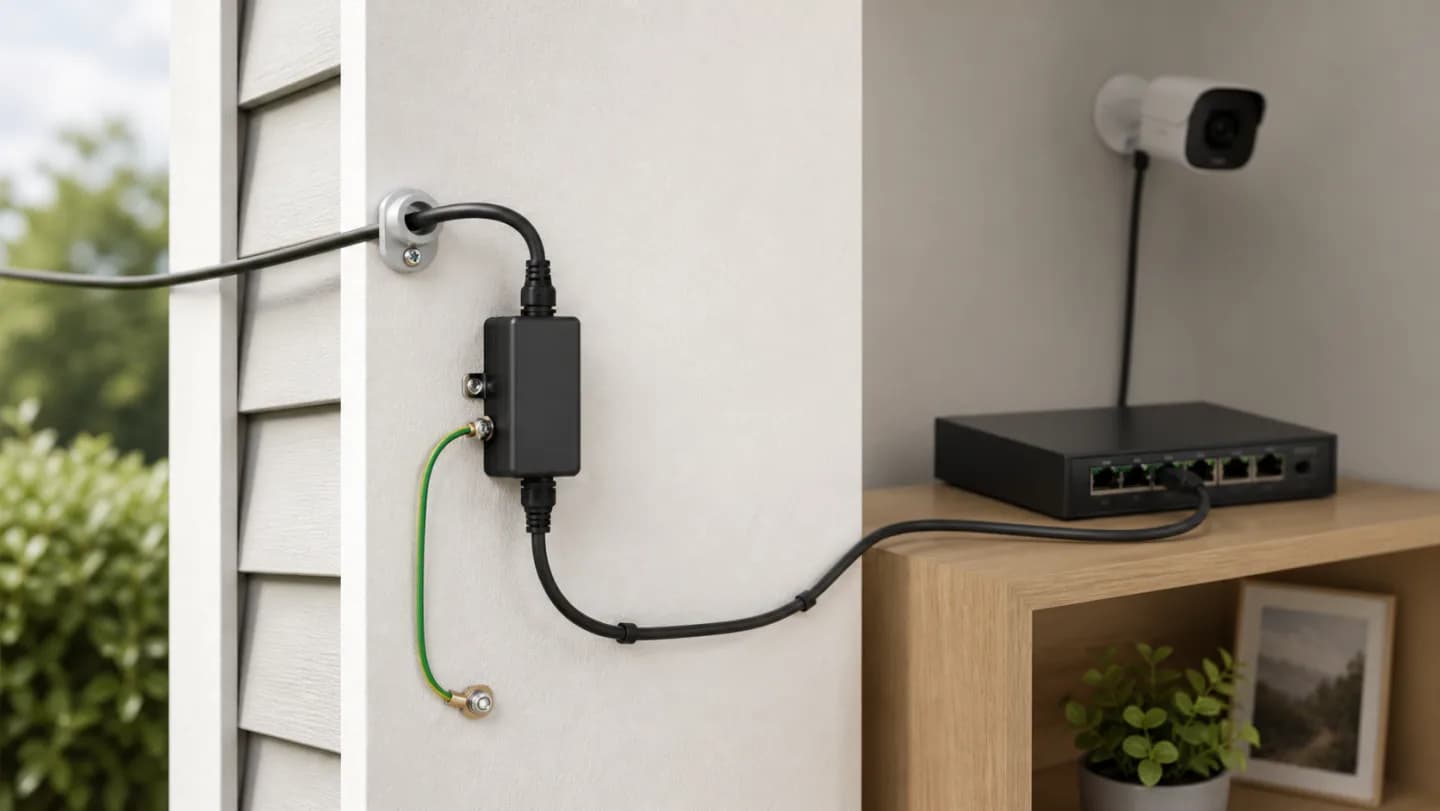
Original editorial image for category, fit, and use context; verify the exact linked product appearance and configuration on the retailer page.
Map the exposure before selecting a protector
An outdoor camera lead, a roof-mounted radio, and a copper run to a detached building are not the same problem. Record where the cable leaves the protected envelope, where it enters, whether it shares a structure grounding system, and which equipment sits at each end. The protection plan follows this route; it should not be inferred from connector shape alone.
Preserve every data and power pair
Gigabit and faster Ethernet use all four twisted pairs, and higher-power PoE can energize pair combinations that a legacy protector did not anticipate. Confirm the exact Ethernet rate, PoE type, maximum current, cable category, and shield arrangement. After installation, test the negotiated rate and the real powered load rather than accepting a link light as proof.
Treat grounding as part of the product
A grounding lug is not decorative. Follow the protector manufacturer's conductor, terminal, mounting, and bond instructions and the installation rules that apply to the site. Avoid improvised connections to convenient screws or isolated metal. If the route involves separate buildings, uncertain electrodes, or lightning exposure, qualified low-voltage and electrical design is worth more than a higher-priced adapter.
Place and weatherproof the assembly correctly
Mount close to the intended boundary, maintain drip loops and bend radius, and keep connector seals compatible with the enclosure and cable diameter. Outdoor-rated components still need correct orientation, strain relief, and inspectable joints. Do not trap condensation around an indoor-only device or bury a protector that must be checked after a fault.
Know what protection cannot promise
No small inline device guarantees survival from a direct lightning event, corrects an unsafe route, or replaces equipment-side power protection. Fiber removes the conductive data path and is often the cleaner building-to-building option. Keep a spare when downtime matters, record installation date, and investigate any speed, PoE, or grounding change after a storm.
Current Amazon option
Check this exact product
Ethernet Surge Protector - Gigabit and PoE++ Compatible (2 Pack) | High PoE++ capacity and Class 8 (154W/3.2A) power, protects all 4 pairs w/ Gas Discharge Tube (GDT) - Tupavco TP302x2
ASIN
B07GBLFFNK
Brand
Tupavco
Listing checked
8/11/2026
Compare the current title, ASIN, variant, seller, stock, shipping, price, and return path before ordering.
Exact US listing reference. Confirm the selected variation, seller, included parts, live availability, and any applicable recall notice before buying.
Public owner context
Questions to answer before buying
Community discussions help surface installation, fit, maintenance, and failure questions. They are anecdotal context, not product specifications or a substitute for current instructions.
Used to locate real owner questions and failure reports that shape the inspection checklist. Anecdotes are not presented as measured product tests or copied as endorsements.
Research notes
How we evaluated these choices
1.Draw the complete copper path from outdoor device to building entry, protector, PoE source, and earth connection.
2.Verify data rate and PoE compatibility in the exact protector documentation, not only the product title.
3.Compare copper protection with fiber isolation when a run crosses buildings or ground-potential zones.
4.Label both ends, test throughput and PoE load after installation, and document post-storm inspection and replacement.